Custom AI systems for you and your team.
We design, build, and run a private AI assistant around your life or your business.
Don't fall behind on AI.
Classified ships custom AI assistants and AI stacks tailored to your life or business. You describe the outcome. We build the system.
Don't take our word for it. Drive one.
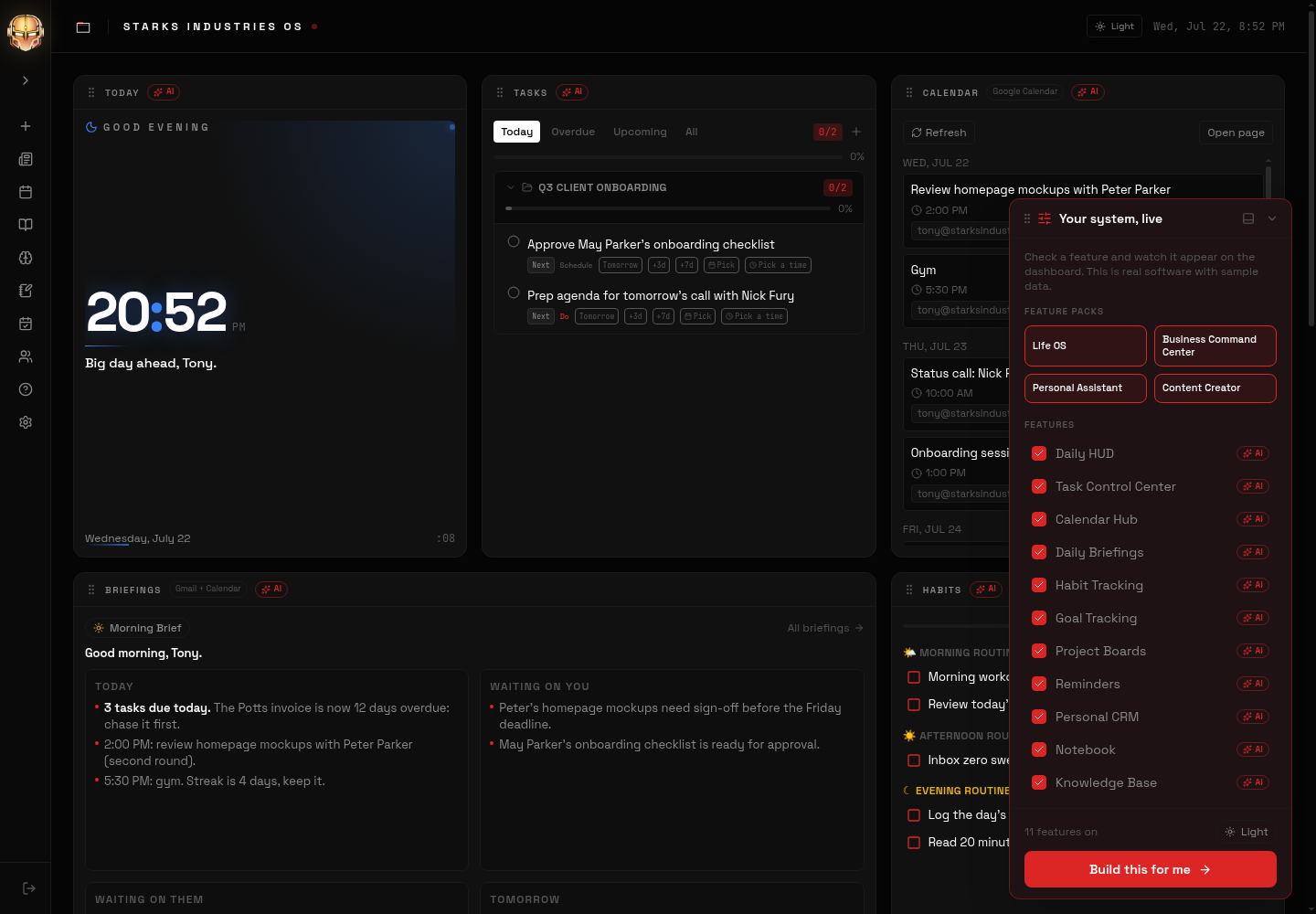
This is a real Classified system running on sample data. Check features on and off with the remote, open the apps, flip light and dark, and see exactly what your build would feel like.
Every system starts here.
Before any modules are added, your system includes a private cloud computer, a context-aware AI assistant, and a full suite of infrastructure.
A context-aware AI that knows your files, your preferences, and your workflows. Ask it anything. It responds with full awareness of your system.
Text or email your system to add tasks, set reminders, or trigger workflows. It responds like a team member.
Connected to the apps you already use: Gmail, Calendar, Notion, Slack, Drive, and more. Your AI reads and writes across all of them.
AI workers that run on a clock. Daily briefings, nightly reports, monitoring. Anything you would otherwise have to remember.
Your own private server, always on. Your data lives here, not on someone else's platform.
Your files, organized your way and searchable by AI. Documents, code, media: all backed up automatically.
Deploy dashboards, portals, tools, and websites directly from your server. Live in seconds.
Your AI uses the web like you do. It logs into sites, fills out forms, pulls data, and reports back.
Pick the modules that matter to you.
Pull only the modules you want. Each one snaps onto your foundation. Hover any card to see what it actually does.
Your assistant captures tasks from texts, emails, and conversations, files them under the right project, and nudges you before deadlines slip. Habits and reminders live on the same screen.
All your calendars merged into one view. Your assistant flags conflicts, protects prep time, and moves things when you ask in plain English.
Ramble for two minutes and it becomes organized, searchable threads of thought. Ideas resurface when they matter instead of dying in a notes app.
Steps, workouts, sleep, weight, and bloodwork pulled into one dashboard. Your assistant spots trends and answers questions about your own body.
Every inbox triaged into one daily briefing: who is waiting on you, what needs a reply, with drafts written in your voice ready to review.
Forward a link and it gets tagged, filed, and resurfaced in a weekly reading digest. Everything you save becomes searchable and answerable.
After every call: notes, a summary, action items, and a drafted follow-up. Ask what was decided in any meeting, months later.
A real voice interface to your whole system. Ask questions, set reminders, and trigger workflows hands-free, with full context of your day.
Pick a Feature Pack. Or say it in your own words.
Packs are starting points, not boxes. Stack as many as you want, add anything custom, and finish the full wishlist on the next page with everything you chose already filled in.
From wishlist to working system.
Pick your Feature Packs and modules, or describe what you want in plain English. Classified AI reviews every submission, then you book a call. Ten minutes, no commitment.
A 30-minute working session. We walk through what slows you down, what stresses you out, and where your hours actually go. The call costs nothing.
We are up front about where AI can help you and where it cannot. We will not invent ways for it to help. You get a straight answer: what to automate first, what to skip, and what your system should look like.
A custom AI system shaped to your life or your business, delivered in phases, running on your own private server. You own it.
Questions people actually ask.
Ready to build your assistant?
Tell us what you need. We reply within 24 hours.